
The access point portal in simple terms
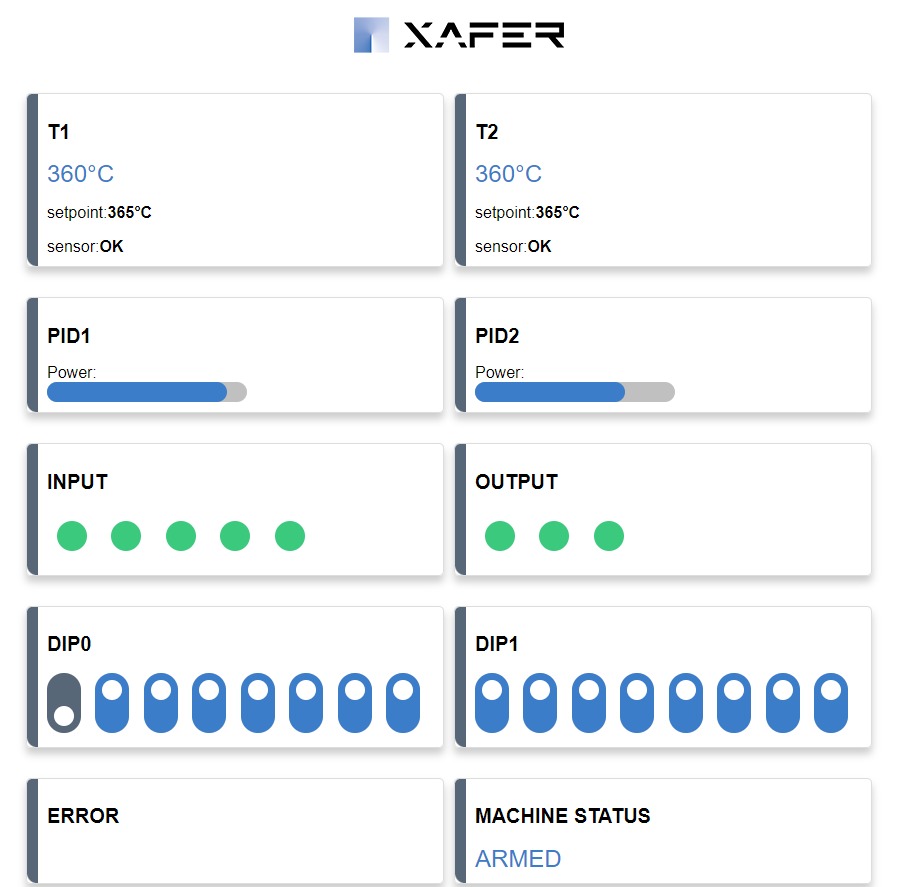
Devices normally join your home or office Wi-Fi. In access point mode, the device creates its own Wi-Fi network instead. When you connect, your phone shows a web page, the portal (also called a captive portal), where you can see the device's status and change its settings.
In short: it is as if the device had its own small website, which you can reach from your phone when you are nearby.
Why an access point portal is useful
No app to install
All you need is the browser on your phone, tablet or computer.
Simple setup
Settings are changed from a web page, with no cables or special tools.
Works without internet
The connection is direct to the device, so it also works where no network is available.
Protected access
The device's network can be protected with a password.
How an access point portal works
Your phone connects directly to the device, without going through a router or the internet.
Connect
In your phone's Wi-Fi settings, choose the network created by the device, just as you would with any other network.
Open the portal
The page usually opens by itself. If it does not, open your browser and enter the address given in the instructions.
Use the controls
Check the status, change the settings and save. When you are done, you can go back to your usual network.
Is an access point portal safe?
Yes, if it is carefully designed. These are the points to consider:
- Password: the device's network can be protected, so that only people who know the password can connect
- Limited range: the device's Wi-Fi can only be reached from nearby
- On-demand activation: the portal can stay active only when needed, for example during setup
- Restricted functions: the most sensitive settings can be made available to technicians only
An access point portal for your ESP32 product
At StepLab we develop access point portals for ESP32-based devices. We have already built them in real projects: on the smart battery charger the dashboard opens from your phone, with no app, and on the Solaria system the access point is used for on-site setup.
- We develop the firmware and the portal's web pages
- We agree with you what to show and which settings can be changed
- We assess whether an existing product of yours can be adapted
What is needed? A device with Wi-Fi, such as those based on ESP32. To use the portal you need to be near the device; remote control requires a solution connected to the internet instead. We will help you choose the right one. See all our services on the ESP32 programmers page.
Access point portal FAQ
Do I have to install an app?
No. The portal opens in the browser on your phone, tablet or computer.
Do I need an internet connection?
No. Your phone connects directly to the device, so the portal also works where there is no internet.
Why does my phone say the network has no internet?
That is normal: the device's network is only for communicating with the device. If your phone asks whether to stay connected, confirm.
The page does not open by itself. What should I do?
It depends on the phone. Open your browser and type the address given in the product instructions.
Can it be added to an existing product?
Often yes, if the device has Wi-Fi and enough memory: a firmware update is usually all it takes. We can assess your case together.
Contact us
Want to add an access point portal to your device? Write to us or give us a call.